
For dental
Built for every role in your dental practice.
AI Receptionist answers the calls. AI Scribe drafts the notes. Online booking, patient recall, forms and analytics fill your chairs and keep your team in step, working alongside the practice management software you already use.
What Claio takes off your team
Front desk team
Answer every call.
AI Receptionist picks up after-hours and overflow calls, books directly into your practice management software and passes on anything urgent to your team.
Fill every open chair.
Patients see real openings and book themselves, any time of day.
Bring patients back.
Reminders, confirmations and hygiene recall go out by text and email on their own.
Clinical team (dentists and hygienists)
Notes drafted during the visit.
AI Scribe drafts a structured note in SOAP, dental exam or hygiene templates, ready for you to review.
Know your patient before they sit down.
Intake forms and consent completed ahead of the visit, with e-signatures.
One click to the chart.
Send the reviewed note to your practice management software.
Practice managers
See what drives the practice.
Live dashboards for recall, production and no-shows.
Standardize the paperwork.
The same forms and consent for every visit.
Run with less chasing.
Fewer missed calls, fewer no-shows and fewer loose ends.
One suite, six tools
AI Scribe, for the clinical team
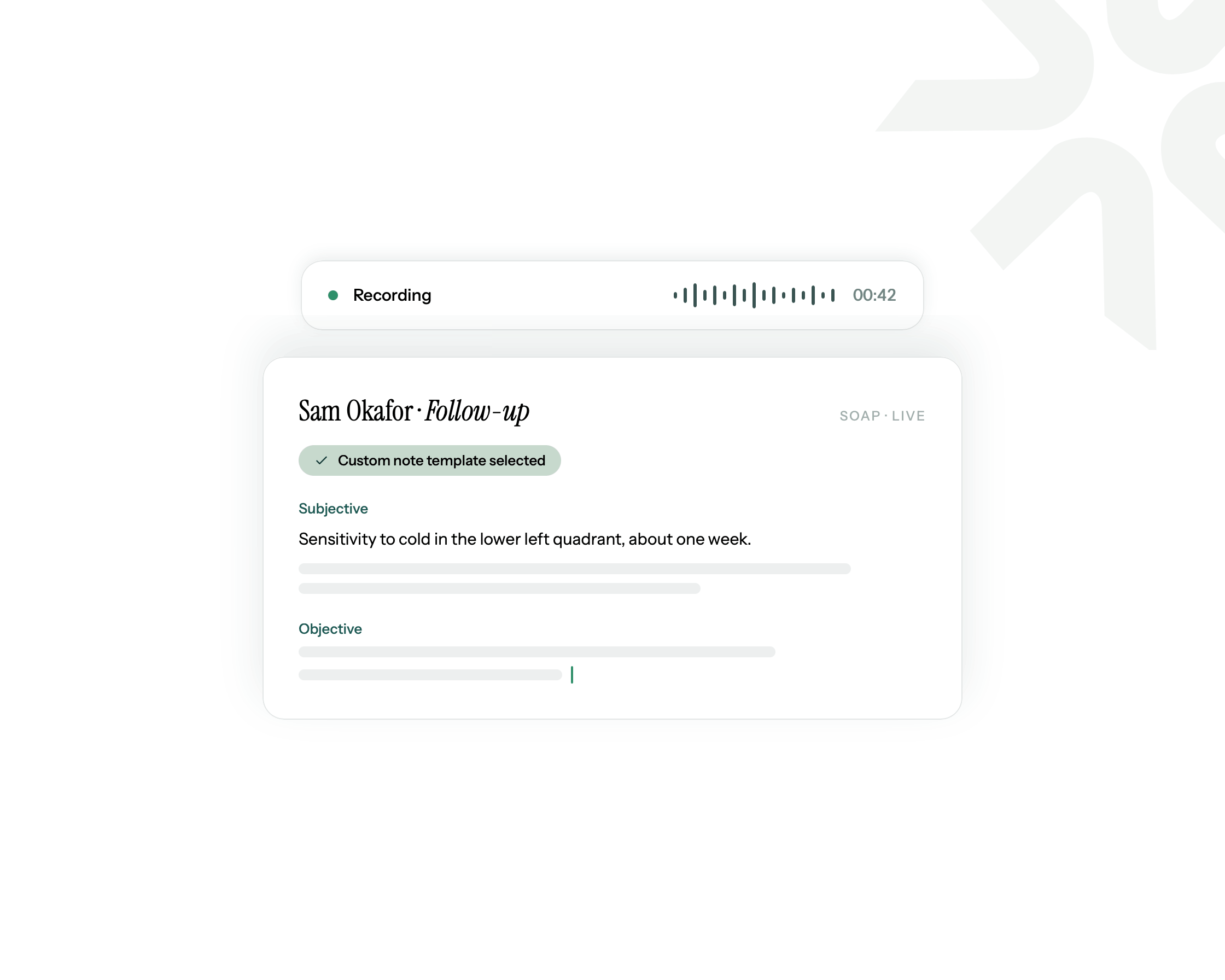
Talk to your patient. Claio drafts the dental note.
AI Scribe listens during the visit and drafts a structured note in your dental templates, then sends it to your practice management software for you to review. English, French and Spanish.
Learn moreAI Receptionist
Every call, answered. Every chair, filled.
Answers after-hours and overflow calls, books directly into your practice management software, answers common questions and hands off anything urgent to your team.
Learn more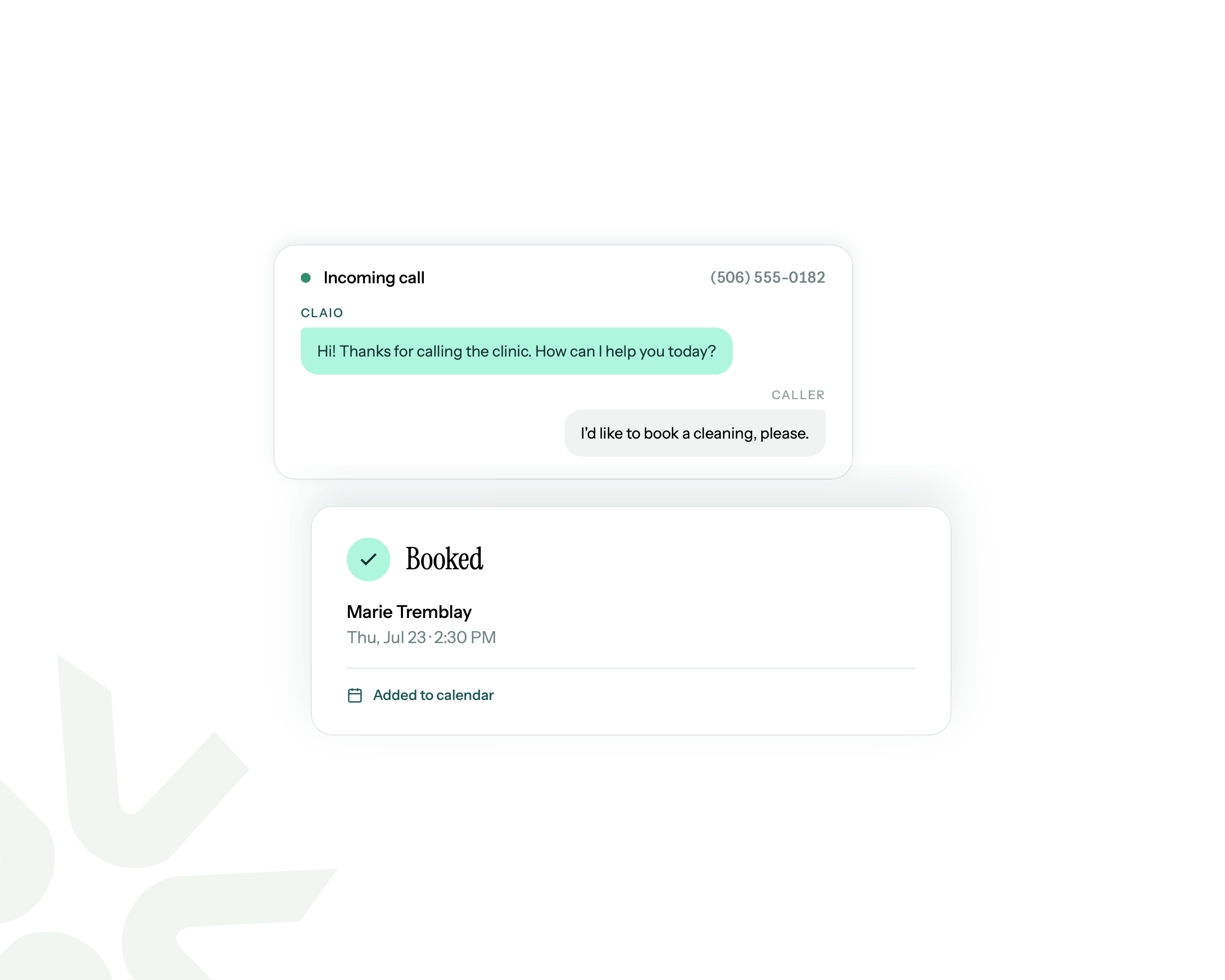
Online booking
Let patients book their own chair time.
Real openings written directly to your calendar, any time of day.
Learn more
Patient recall
Reminders, confirmations and recall that send themselves.
Automated appointment reminders, confirmations and hygiene recall by text and email.
Learn more
Forms & signatures
Paperwork done before they sit down.
Digital intake forms and e-signatures completed ahead of the visit, filed directly to the patient record.
Learn more
Analytics
See what actually drives the practice.
Live dashboards for recall, production and no-shows.
Learn more
Built for the chair, the phones and the follow-up
At the chair.
Notes are drafted while you work.
On the phones.
Calls are answered at any hour, and anything urgent goes to your team.
After the visit.
Recall and reminders go out on their own.
Integrations
Works with the practice software you already use.
Claio plugs into what you already use.


- and more
Secure by design. Compliant by default.
- HIPAA-compliant
- BAA signed
- Patient data never used to train models
- Encrypted in transit and at rest
- Loi 25 and PIPEDA for Canadian practices
Frequently asked questions
Is Claio HIPAA-compliant?
Yes. Claio is HIPAA-compliant, with a BAA signed. Patient data is never used to train models, and data is encrypted in transit and at rest. Canadian practices are covered by Loi 25 and PIPEDA.
Where do my notes go?
Directly into your practice management software, filed to the patient's chart, not a separate tab or portal.
Is this replacing my receptionist?
No. AI Receptionist works alongside your team. It catches after-hours and overflow calls, and the calls your team can't get to.
Can I customize templates to how we work?
Yes. Edit any template in the Claio portal, or upload custom templates from your practice management software.
Do I need to start with the whole suite?
No. Start with the tool that helps most, usually AI Scribe or AI Receptionist, and add the rest when you're ready.
How do I get started?
Book a free discovery call and we'll set up the tools that fit your practice.